
Inviting Members
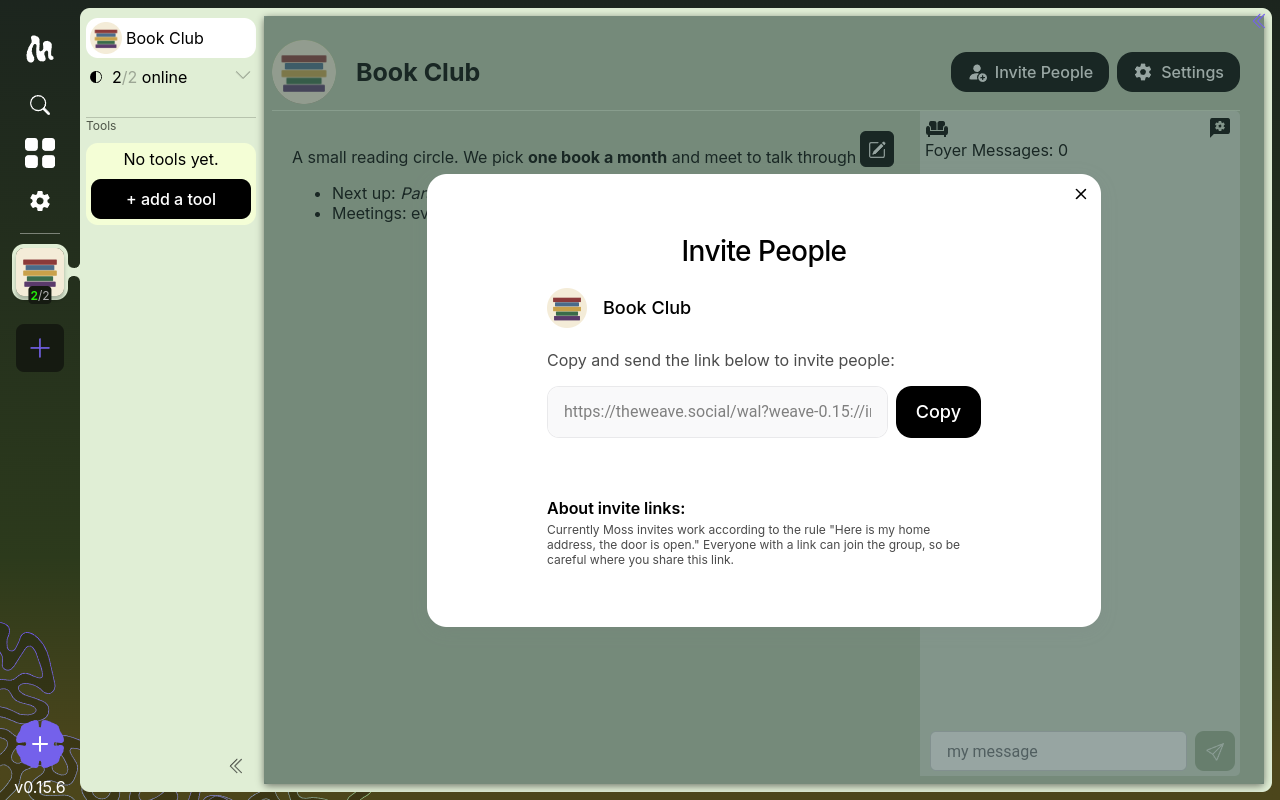
New members join a group via an invite link. The link contains the information another Moss installation needs to find and connect to the group's network.
How to invite someone
- Open the group.
- Click Invite People in the group's top bar.
- Click Copy to copy the invite link.
- Send it to the person you want to invite (chat, email, in person, however).
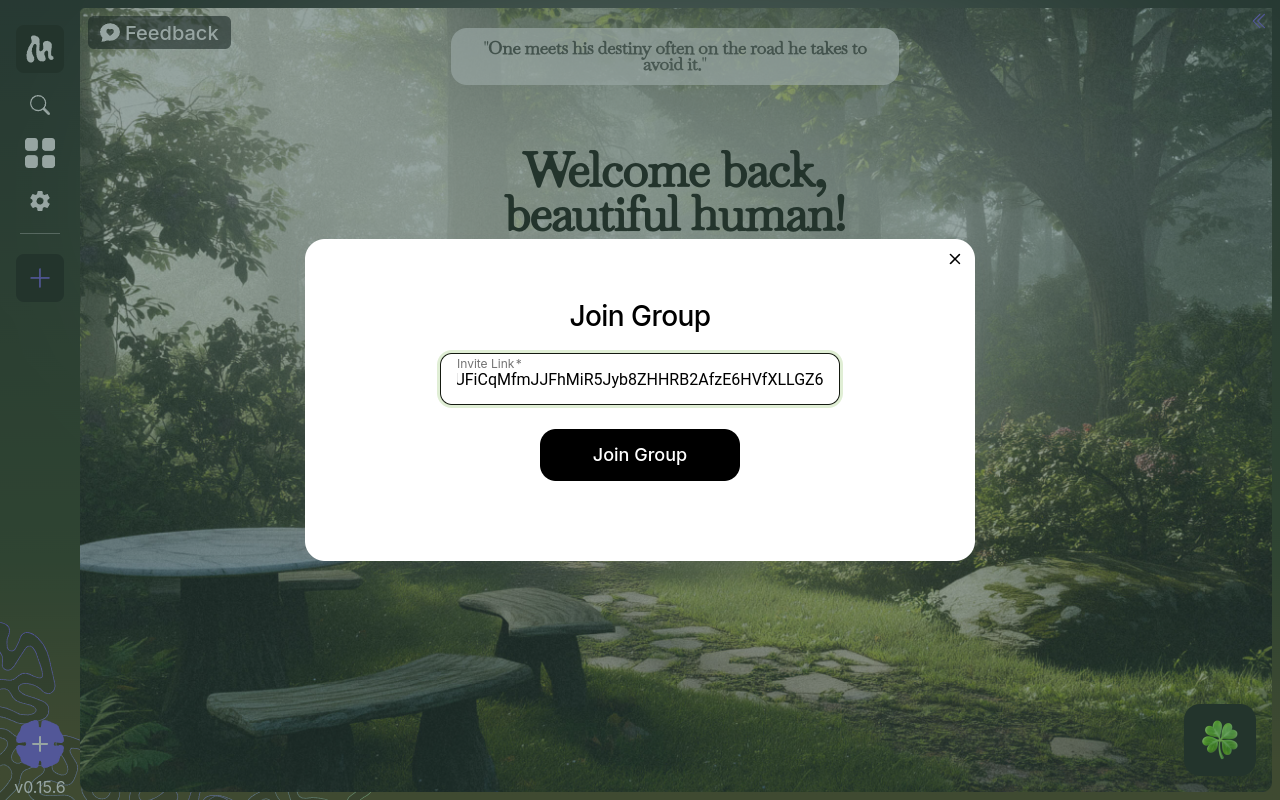
- They paste it into the Join Group dialog in their own Moss installation.
Security notes
- Treat invite links like keys. Anyone who has a link can join the group. Send them through channels you trust.
- Each group has its own network. Sharing an invite link for one group does not give access to any of your other groups.
- Your identity is your keys. When you join a group, you introduce yourself with a cryptographic key generated on your device. No email, no phone number, no account.
Accepting an invite
If you're on the receiving end:
- Open Moss.
- Click the + button in the groups sidebar, then choose Join Group.
- Paste the invite link.
- Set your profile (name and avatar) for this group.
- Join. Moss will connect to the group's network and sync with other members who are online.
When members go offline
Moss groups sync peer-to-peer. If everyone in a group is offline at once, there's nothing to sync with — that's the nature of a truly decentralized network. In practice, as soon as any two members are online together, they catch each other up.